

Reusable sections
Choose a layout that fits the message and make the supported content your own.
Build your business website with editable sections, your own imagery and clear customer actions. Preview each device before you publish.

Update supported text, images and links from the visual builder.
Choose a layout that fits the message and make the supported content your own.
Update supported text, imagery and links without rebuilding the page.
Review desktop, tablet and mobile layouts before publication.
Guide visitors to a product, enquiry, quotation or contact step.
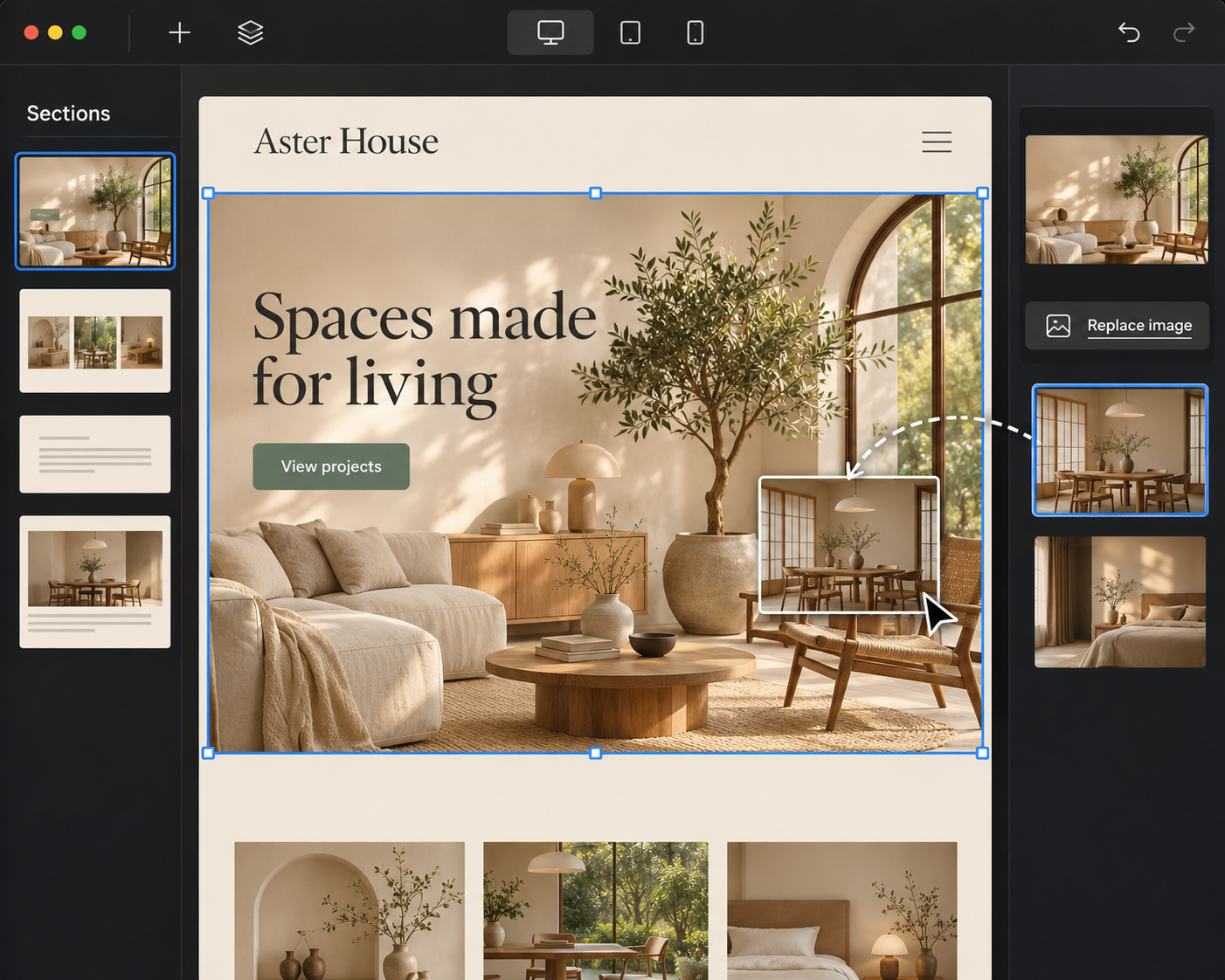
Keep the page canvas, section outline and editing panel together as you refine your site.
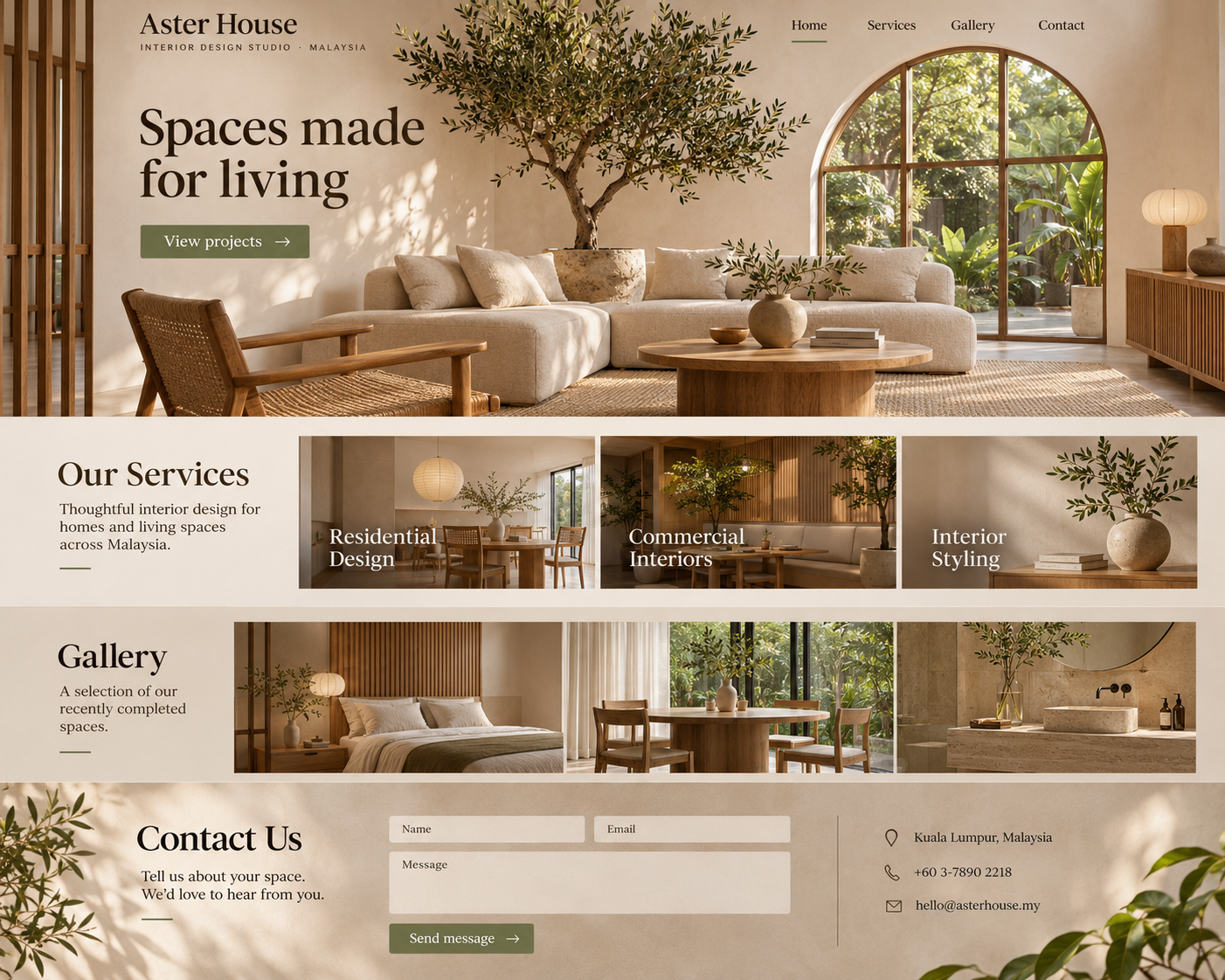
Combine introduction, services, image galleries, FAQs and contact content around your business.
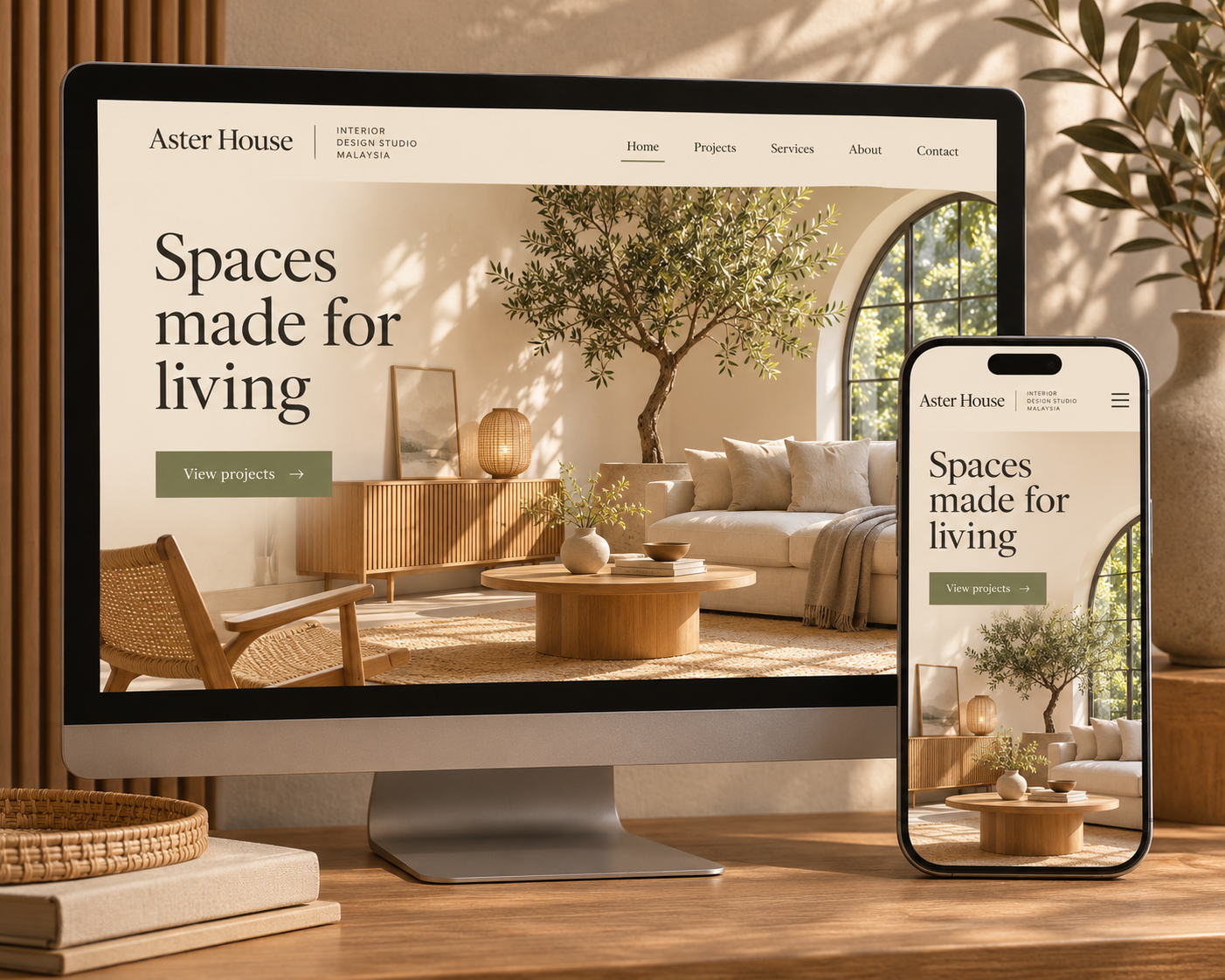
Check content, image proportions and customer actions in responsive previews.
Preview desktop, tablet and mobile layouts before publication.
Your business sources. Your team’s approval.
Your business sources. Your team’s approval.
Your business sources. Your team’s approval.
Your business sources. Your team’s approval.
Keep your page draft separate from the version visitors see.
Your business sources. Your team’s approval.
Choose reusable sections and arrange a page around your business story.
Your business sources. Your team’s approval.
Your business sources. Your team’s approval.
Your business sources. Your team’s approval.
Start with your own content and refine the result as your business changes.
Update supported text, images, links and section content in the visual builder.
Desktop, tablet and mobile previews help you review the page before publication.
The catalogue can present products or services with the purchase and enquiry paths configured for your business.
Review your work before publication. Drafting and publishing remain separate steps.
This page describes our responsive website builder. A separate native app project requires its own scope and quotation.
